
Online banking has made managing money faster and more convenient than ever. You can check balances, transfer funds, pay bills and even open accounts without leaving home. Yet that convenience comes with risks. Cybercriminals constantly look for ways to steal money and personal details. Strong online banking security habits protect what matters most.
This guide shares practical steps anyone can follow. These tips focus on everyday actions that reduce risk without requiring technical expertise. Apply them consistently and you will significantly improve the safety of your accounts and personal information.
Why Online Banking Security Matters Now More Than Ever
Banks invest heavily in security systems, but individual account holders remain a key part of the defence. Most successful attacks start with a simple mistake: a reused password, a clicked link or an unsecured public Wi-Fi connection. Once criminals gain access, they can move money quickly, open new accounts or sell personal data.
The financial and emotional cost of identity theft or account takeover can last for months. Recovering stolen funds is not always straightforward, and rebuilding credit or trust takes time. Good online banking security habits act as the first line of defence. They cost little effort yet deliver real protection for your money and personal information.
Create Strong, Unique Passwords for Every Account
Weak or repeated passwords remain one of the easiest ways into an account. Avoid birthdays, pet names, sequential numbers or any detail that appears in public records. A strong password should be long, mix upper and lower case letters, numbers and symbols, and remain unique to each service.
Consider using a reputable password manager. These tools generate complex passwords and store them securely so you only need to remember one master password. Enable the manager’s autofill feature only on trusted devices. Change passwords immediately if a service you use reports a data breach.
Never share passwords, even with family members who help manage finances. Each person should maintain their own secure login details. Review passwords at least twice a year and update any that feel outdated.
Turn On Two-Factor Authentication Everywhere Possible
Two-factor authentication adds a second layer of proof that you are the account holder. After entering your password, the bank or service asks for a one-time code sent to your phone, generated by an authenticator app, or confirmed via biometric check.
Authenticator apps generally offer stronger protection than text messages because they do not rely on mobile networks that can be intercepted. Set up two-factor authentication on every banking app, email account and financial service you use. Treat recovery codes carefully: store them offline in a secure place rather than in an email folder.
If a bank offers biometric login through fingerprint or facial recognition, enable it as an extra convenience that still requires your physical presence. Combine biometrics with a strong password for the best balance of ease and security.
Spot and Avoid Phishing Attempts
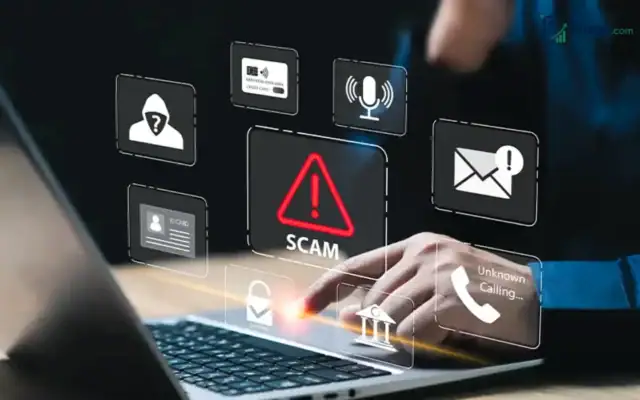
Phishing remains one of the most common threats to online banking security. Criminals send emails, texts or messages that look official and urge you to click a link or share details. These messages often create false urgency: “Your account will be locked” or “Unusual activity detected.”
Pause before responding. Banks never ask for full passwords, PINs or one-time codes by email or text. Hover over links (without clicking) to check the real destination. Type the bank’s official website address yourself rather than following a provided link. When in doubt, contact the bank using a phone number from their official site or the back of your card.
Report suspicious messages to the bank and delete them. Teach family members the same habits, especially older relatives who may feel pressured by urgent-sounding messages.
Keep Software and Devices Up to Date

Outdated software creates openings that criminals exploit. Enable automatic updates on your phone, tablet and computer. This includes the operating system, banking apps and any security software. Manufacturers release patches specifically to close known vulnerabilities.
Avoid downloading banking apps from unofficial sources. Stick to the official app stores. On shared or public computers, never log into online banking. Use private browsing mode if you must access accounts on a device that is not yours, and clear the browser history afterwards.
Install a reputable mobile security app that scans for malware. Keep Bluetooth and location services limited when not needed, as they can sometimes reveal patterns about your movements and routines.
Choose Secure Networks Carefully
Public Wi-Fi networks in cafes, airports or hotels often lack proper encryption. Avoid logging into online banking or any financial account while connected to open networks. If you must use public Wi-Fi, enable a virtual private network (VPN) from a trusted provider. A VPN encrypts your traffic and makes it much harder for others on the same network to intercept data.
At home, change the default password on your router and use WPA3 encryption if available. Create a separate guest network for visitors so they cannot access devices connected to your main network. Turn off the router’s remote management feature unless you specifically need it.
Monitor Accounts and Set Up Alerts
Regular checks catch problems early. Log into online banking at least weekly and review recent transactions. Look for small test charges as well as larger withdrawals. Many banks let you set custom alerts for payments above a certain amount, international transactions or logins from new devices.
Enable transaction notifications via the banking app or text. Review statements carefully each month. If something looks wrong, contact the bank immediately using the official phone number. Most institutions offer fraud protection that can reverse unauthorised transactions when reported promptly.
Keep a simple record of your accounts and the contact details for each provider. This speeds up the response if you ever need to freeze an account or report identity theft.
Protect Personal Information Beyond Banking
Online banking security extends to the personal data that criminals use to impersonate you. Limit what you share on social media. Avoid posting full birth dates, addresses, travel plans or photos of bank cards and statements. Shred paper documents that contain account numbers or personal details before discarding them.
Be cautious with free Wi-Fi, public charging stations and unknown USB devices. These can sometimes install malware or capture keystrokes. Use your own charger and cables whenever possible.
When filling out forms online, check that the site uses HTTPS and that the address matches the organisation you intend to deal with. Never enter banking details on websites reached through advertisements or unexpected emails.
Extra Habits That Strengthen Protection
Log out of banking sessions when finished, especially on shared devices. Close the browser completely rather than just the tab. Avoid saving login details in the browser if other people use the same computer.
Review the list of connected devices and authorised apps in your banking settings. Remove any you no longer recognise or use. Some banks allow you to set time limits on sessions or restrict access by location.
Consider setting up a separate email address used only for financial accounts. This reduces the chance that a compromised everyday email account exposes banking login links or reset codes.
Conclusion
Online banking security rests on a handful of consistent habits: strong unique passwords, two-factor authentication, careful attention to messages, updated software, secure networks and regular account reviews. Each step reduces the opportunity for criminals and increases the chance of catching problems early.
Start with the easiest changes today. Enable two-factor authentication on your main banking app, update any weak passwords and turn on transaction alerts. These actions alone deliver meaningful protection for your money and personal information.
Stay informed as banks introduce new security features. Technology evolves, and so do the tactics used by those who try to exploit it. A calm, practical approach keeps online banking both convenient and secure for the long term.
By treating online banking security as an ongoing practice rather than a one-time setup, you protect your finances and give yourself peace of mind every time you log in.